The Progress notes and outcome fields in CHARMS include options for formatting the notes.
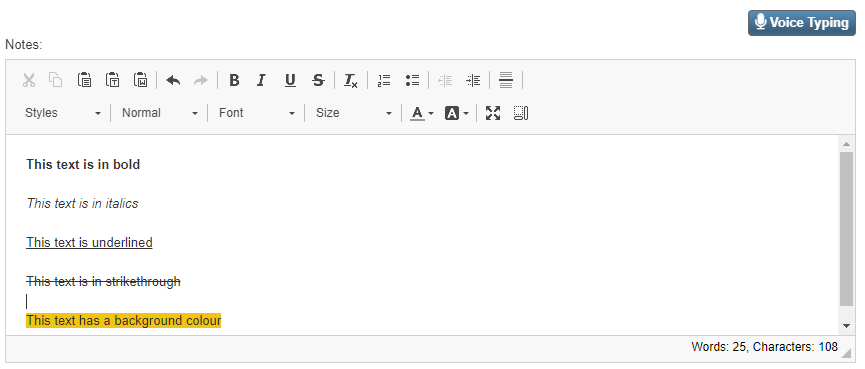
This formatting bar contains the following options:

- Cut
- Copy
- Paste - this option only works in Microsoft browsers
- Paste as Plain Text - this option only works in Microsoft browsers
- Paste from Word - this option only works in Microsoft browsers
- Undo
- Redo

- Bold
- Italics
- Underline
- Strikethrough
- Remove Formatting
- Numbered List
- Bulleted List
- Decrease Indent
- Increase Indent
- Insert Horizontal Line

- Styles - choose from the dropdown list of styles
- Paragraph format - choose from the dropdown list of formats
- Size - choose a font size
- Text colour
- Background colour
- Maximise - make the screen full size
- Show blocks
In Chrome and Edge Browsers only, the Voice Typing button can be used to voice type in the Notes box.