Once key events have been recorded into the child’s progress screen on CHARMS then the Check List screen can be a useful monitoring tool for tracking key events in relation to children.
The items that appear on the Check List relate to the placement type and so children referred for different placement types can be monitored for different actions. For example, this screen can be used to track CLA documentation that is outstanding from the LA. If the same action has been recorded on different dates within the child’s progress, the Check List screen will show the latest date recorded. The 'Date Completed' can be clicked on to take you directly to the progress action.
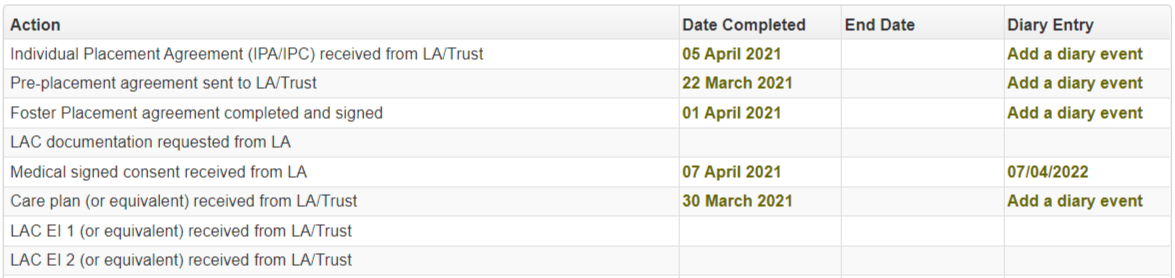
If a checklist item is not applicable to a particular child, double clicking in the date column against that entry will add an 'NA' to make that clear. Double clicking on an 'NA' entry will remove it. If a compliance widget action is marked as N/A, this will be reflected on the checklist, and vice versa.
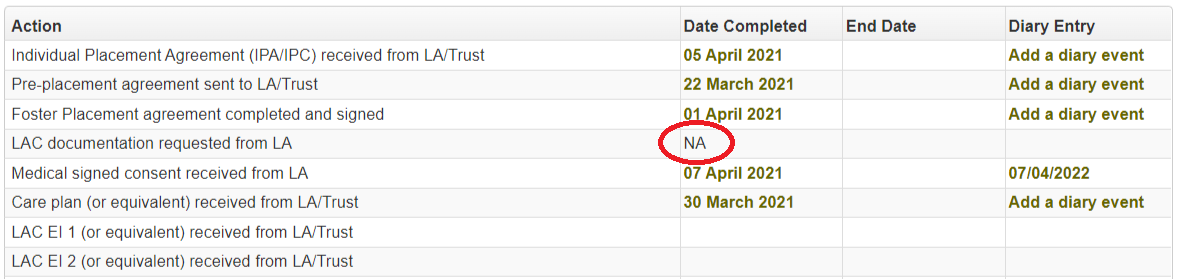
The 'Diary Entry’ column will show the diary reminder date if the progress action has a linked diary item. Click on the date to open the diary details and edit if required.
If the progress action exists in the child's progress but doesn’t have a linked diary item, a link will be available to 'Add a diary event'. When clicked, if a diary item is being added for a progress action that already has a reminder period and reminder message setup in the action lookup list, the diary screen that opens will add the relevant date based on the reminder period set, and will also populate the reminder message. These can be amended if required.
Please Note: The items that appear within the Check List tab on a child’s record have to be set up by your User Manager or SCN Account Manager.